
Start with low food costs and donation bins beside animal viewing points. Check species feeding costs in the Zoopedia before adopting, then place bins on paths where guests stop to watch animals. These Planet Zoo 2 tips put care and cash flow ahead of expansion, so your first habitat does not become an expensive problem.
How do you start playing Planet Zoo 2?
Choose Career to follow conservation objectives, or Sandbox to adjust the economy and animal welfare settings before building. If you are learning how to play Planet Zoo 2, pick the route that fits what you want to practise.
Career: recommended for an objective-led start
Select Career → Start New Career +, read Eric Ashford's welcome letter, then select the first location in Chapter 1 and choose Travel to Wildlife Reserve. You will work through scenarios involving zoos and Wildlife Reserves, earning Bronze, Silver and Gold medals for objectives. Your first destination is a reserve, so do not expect this route to begin with a blank zoo.
Sandbox: adjust the rules before you build
Select Sandbox → Create New Zoo, choose a biome and continent, name your zoo and choose your preset and terrain. Open Sandbox Settings to adjust Economy and Animal Welfare, then select Create Zoo. This gives you control over the conditions you practise under. For the wider mode comparison, see Planet Zoo 2 franchise mode.
Which animal should you choose first in Planet Zoo 2?
Choose an available species with low food costs and high appeal, rather than opening with a large carnivore or elephant. Check the Zoopedia before committing: an impressive animal can bring a feeding bill your small zoo struggles to cover.
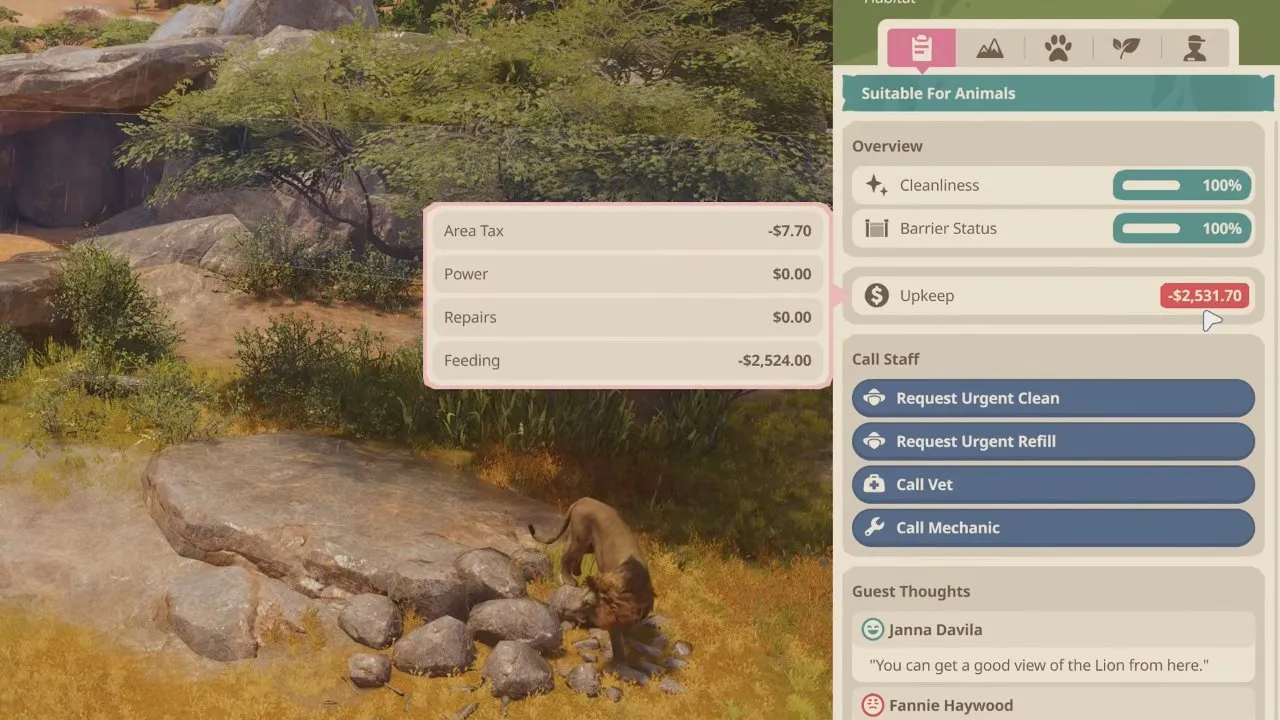
Feeding deserves attention: a habitat's upkeep breakdown lists Feeding separately from Area Tax, Power and Repairs, so you can see what each animal costs to run.
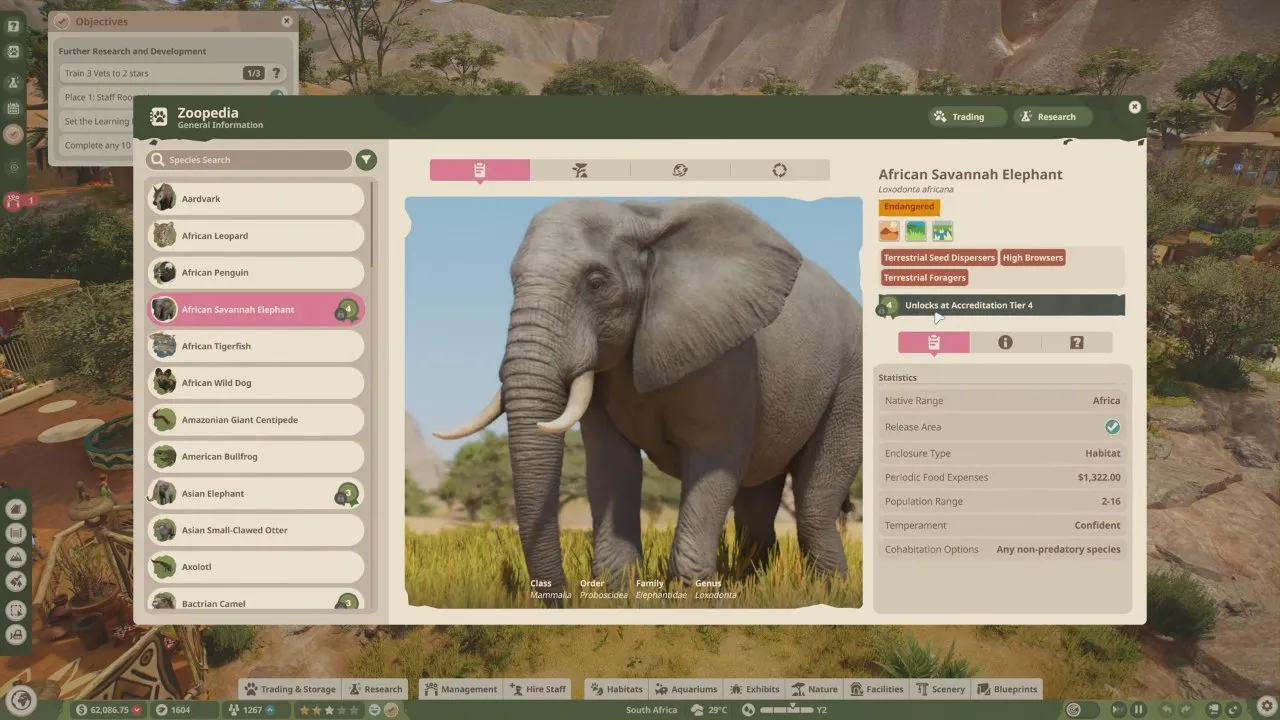
Check availability as well as cost. In Franchise, you need higher Accreditation Tiers to unlock more animals. The African Savannah Elephant, for example, shows Unlocks at Accreditation Tier 4 in the Zoopedia, so check the unlock requirement before designing a habitat around an animal. Compare candidates with Planet Zoo 2 animals.
What should you build first in a Planet Zoo 2 walkthrough?
Build a habitat with staff access, essential animal care and a usable guest viewing point before spending heavily on expansion. Treat your first Planet Zoo 2 walkthrough as a small working zoo: get the care and income loop running, then grow it.
- Pause while you build. On PC, press P to pause or resume; O cycles game speeds. Pause during lengthy early construction so you are not paying running costs while you build, and the zoo does not slip into the loss warning below.
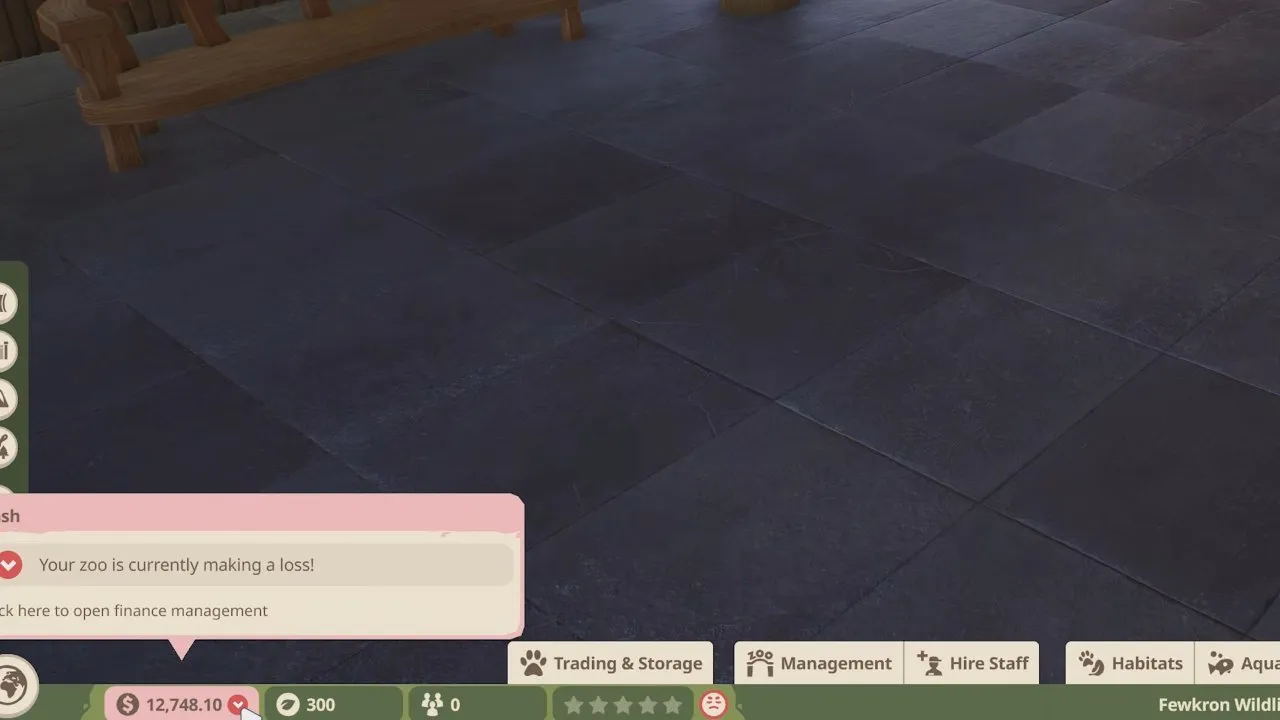
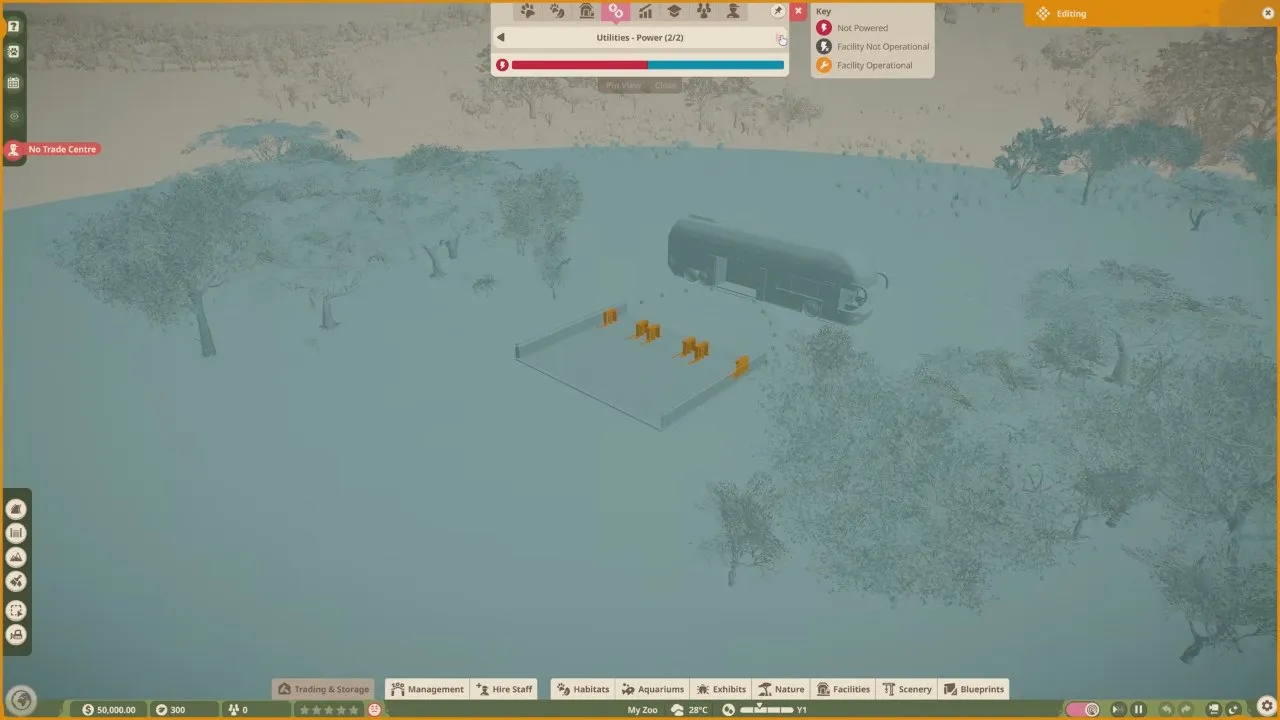
- Use the entrance's power coverage. Open the HUD's Heatmaps and inspect power coverage before placing facilities. Entrance barriers provide an electricity area with no upkeep costs. The blue coverage around the entrance gives you a practical starting area instead of immediately paying for your own power source.
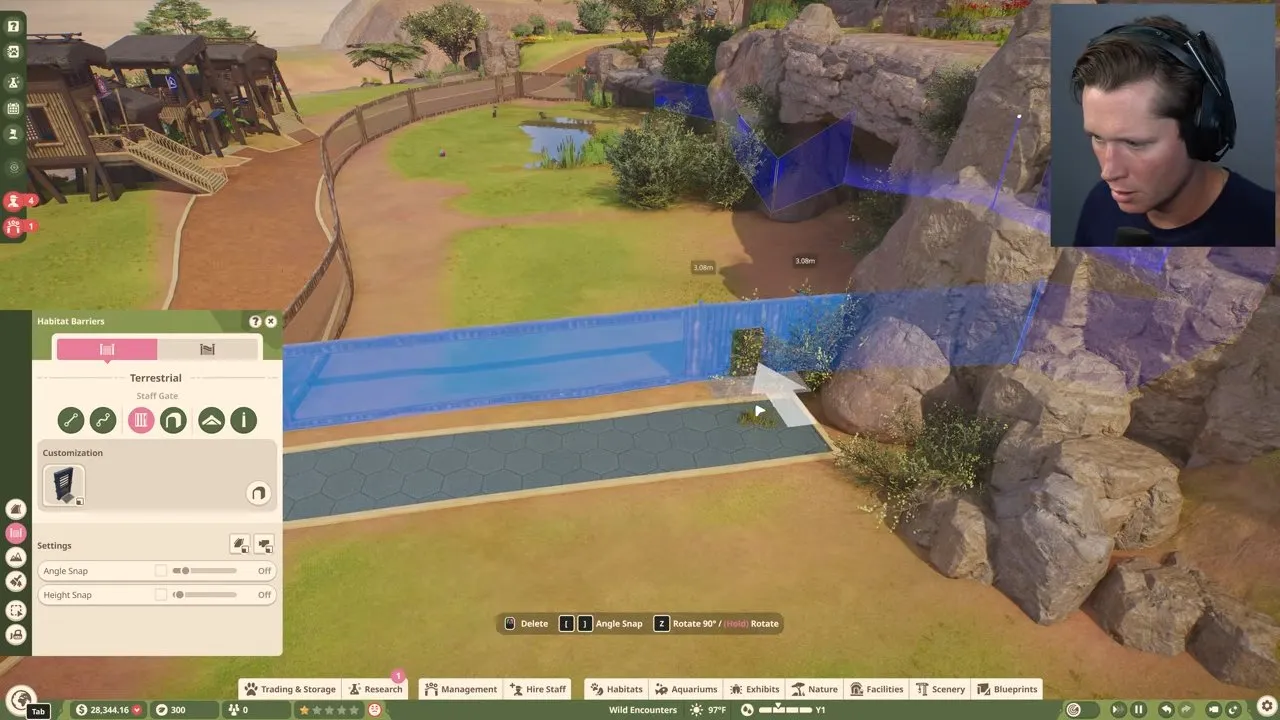
- Connect the habitat gate to staff access. A keeper needs a route into the habitat to feed and care for animals. The example below places a Staff Gate beside a staff-only path; the gate opening and path meet at the barrier. Do not finish the guest side and forget this connection.
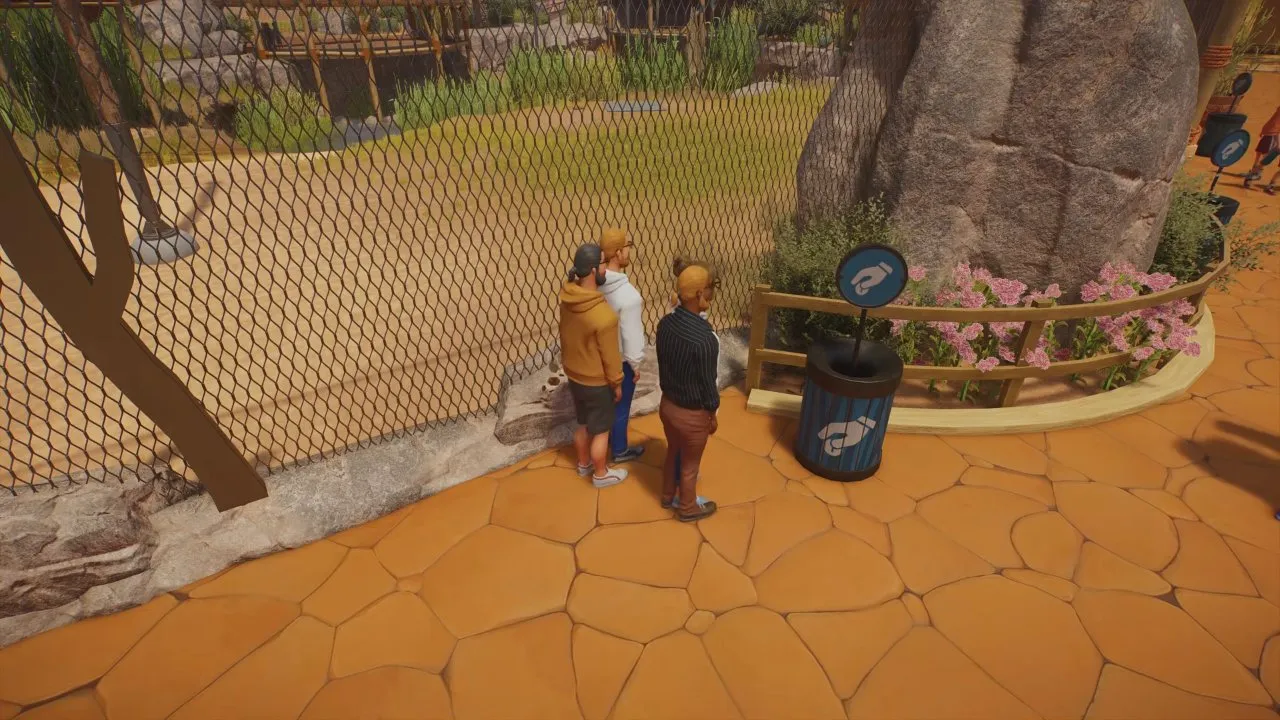
- Place donation bins beside the viewing point. Put them on paths near busy animal views. Better views increase both the chance and size of donations, while higher appeal and Thriving animals can bring larger donations. Below, guests are standing at the habitat fence with a donation bin immediately beside them: that is the placement to copy, rather than a bin far from the animals.
Give guests toilets, food, drinks and places to rest too. Unhappy guests may leave early or request refunds. Keep the habitat view useful, but leave animals places to retreat from guests so they can avoid stress.
How do you fix low animal welfare in Planet Zoo 2?
Open Management → Animals, sort by Welfare and fix the lowest-rated animals first. Check food, water, space, terrain, plants, social needs and enrichment separately; a good-looking habitat can still have a specific care problem.
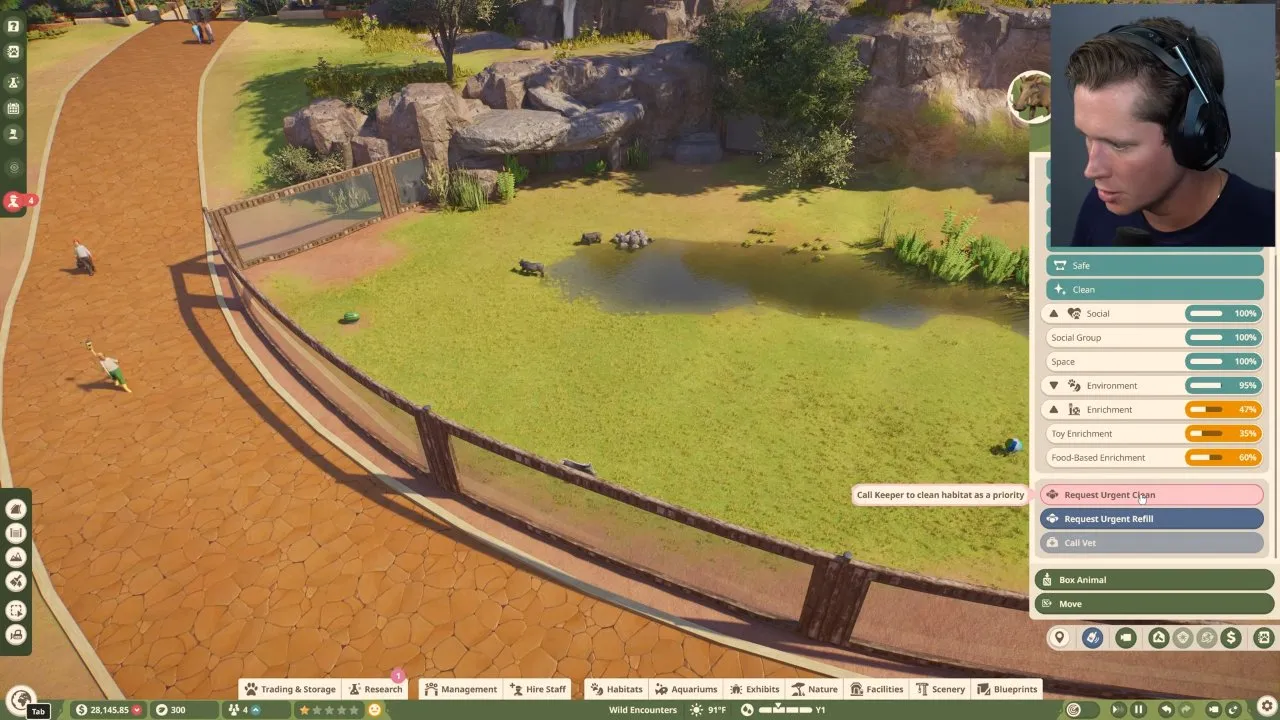
The animal panel below shows strong Social and Space ratings while Toy Enrichment and Food-Based Enrichment are lower. Those separate bars tell you to work on enrichment instead of rebuilding an otherwise suitable habitat.
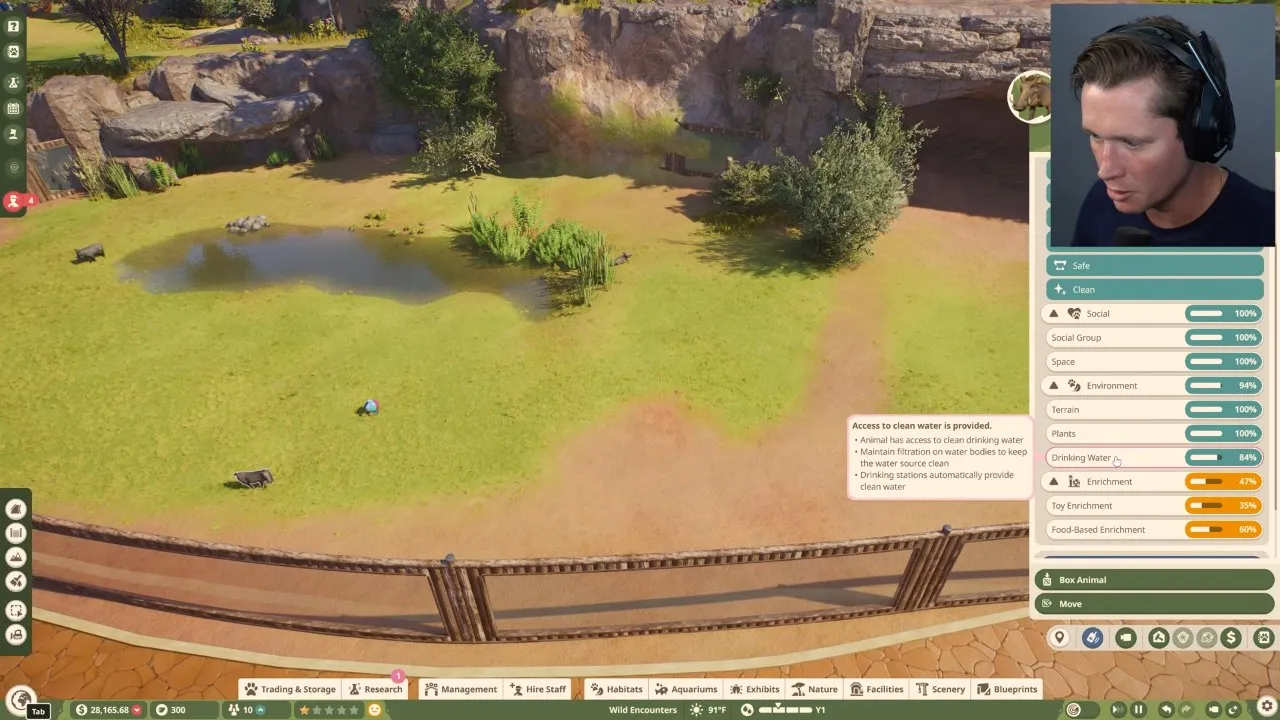
Check Drinking Water on its own as well. The next panel shows a lower water rating alongside healthy Terrain and Plants ratings, and the tooltip explains that water-body filtration needs maintaining. Water being present is not the same as the animal's drinking-water need being fully met.
Assign Keepers for feeding and care, Vets for treatment and research, and Mechanics for maintenance. Caretakers clean, Vendors serve shops and Educators teach guests. Use Work Zones to assign staff to areas, and keep workloads manageable.
Once basic care is working, open Research in the Browser, select Species, Enrichment, Education or Disease, check the topic's requirements and build a Research Centre from Facilities. Select an Available Staff member and the topic. Species research reveals Thriving requirements; enrichment research unlocks more food and toy options. Staff prioritise feeding and treatment over research. Some species also need study in Planet Zoo 2 wildlife reserve locations to complete their research.
How do you stop losing money in Planet Zoo 2?
Review Management → Finances, slow expansion and adjust ticket prices using Guest Thoughts before cutting staff wages. Finances shows income and expenses for the current and previous season, so you can see what is draining cash and give your balance time to recover.
Slow expansion and close costly buildings: recommended first check
Limit new construction and review high running costs. You can turn off facility or shop buildings to save money. Check what each building provides before closing it: animals and guests still need their essential services.
Adjust admission: let guest feedback set the limit
Open Management in the Browser or select a Zoo Entrance Gate, then adjust adult and child ticket prices. Check Guest Thoughts after changing them. If guests call tickets underpriced, raise them a little and check again; there is no fixed price every zoo should charge. Prices that feel too high can make guests refuse to enter.
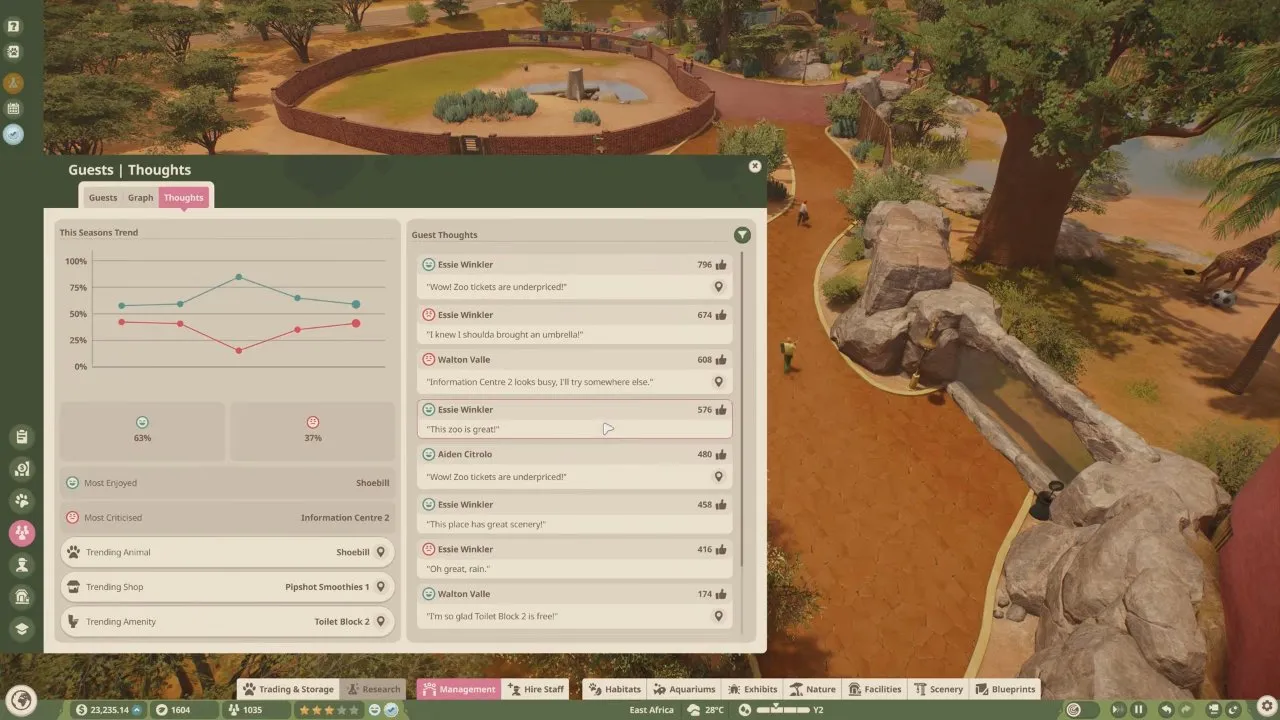
Review prices again as you add species and baby animals, and keep checking the feedback after each change.
Reduce wages: save cash at the cost of staff satisfaction
Lower wages reduce expenses, but unhappy staff may quit. The Staff screen puts salary controls beside happiness, energy and Work Zones, so review those together rather than treating wages as an isolated saving.
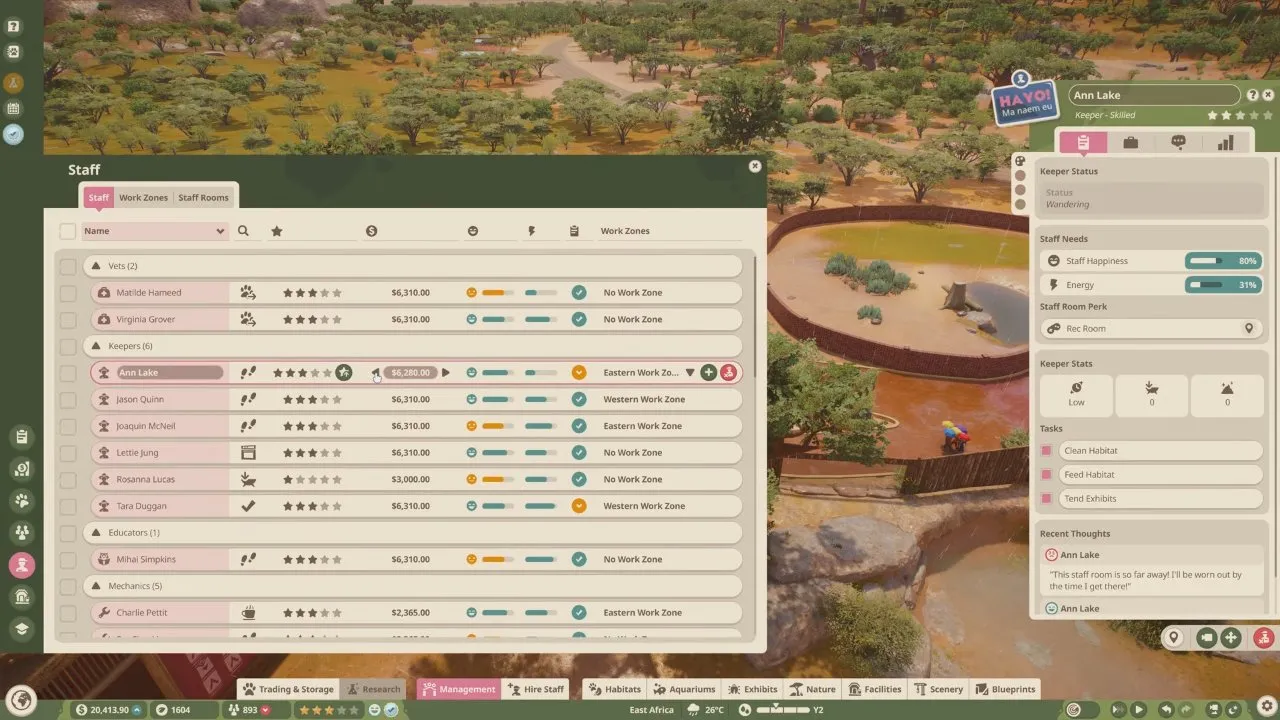
Avoid expanding while you are still patching basic care or cash flow. A loan provides immediate cash but adds interest and repayment costs; only take one if you can afford those payments.
How do you improve zoo reputation and unlock more animals?
Fix your lowest reputation category and vary education topics to work toward higher Accreditation Tiers. Open Management → Overview to compare Animal Husbandry, Sustainability, Guest Education and Guest Experience, then use Overview → Graph to track changes.
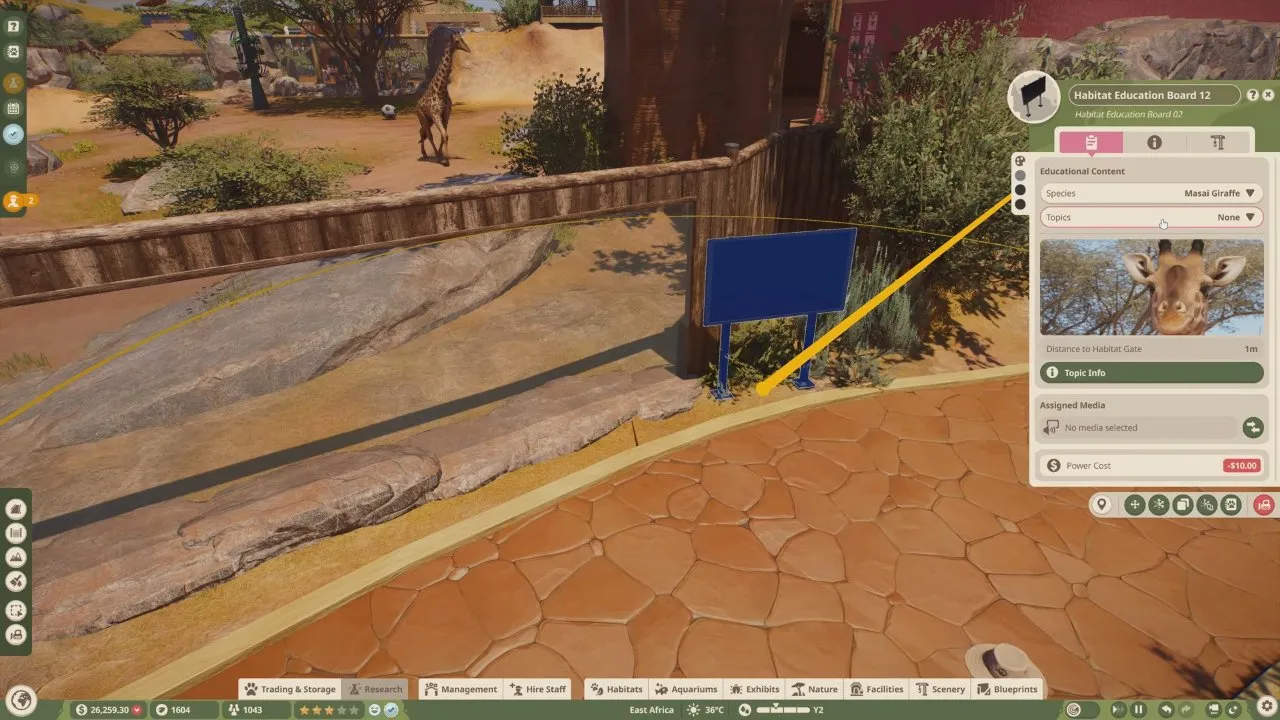
Education boards look like simple species signs, but the panel has separate Species and Topics settings. Choosing a species does not fill the topic field: with a giraffe selected, Topics can still read None. Guests learn each topic only once, so spread different topics around the zoo.
In Career, scenario medals increase Accreditation. In other modes, high Zoo Reputation and high Wildlife Reserve Biodiversity Ratings increase it. Higher tiers open more Trading species, better Marketing, new Research Network types and more animal storage capacity.
You now have a starting route that covers staff access, animal needs, donations and financial checks before expansion. When those basics are working, choose your next animals with Planet Zoo 2 animals, then plan their setting with Planet Zoo 2 biomes.